
The problem with a swatch card
A residential lift is bought once. The buyer is standing in a house that does not have one yet, being asked to choose a shaft finish, a door type, a cabin wall material, a handrail, a ceiling and a control panel position — from a folder of laminate chips and a few photographs of other people's lifts.
Every one of those choices is reversible on paper and irreversible in steel. The showroom conversation was therefore slow, and it ended in an order that the customer had never actually seen.
Powertechnic asked for a way to show the finished lift. Not a rendering service, and not a video: a thing the customer could open on their own phone, change, and share with whoever else in the household gets a vote.
The shape of the option tree
Before any of this is an engineering problem, it is a combinatorics problem. The published catalogue resolves to:
- Four models — Premium 250 (800 × 800), two Premium 300 variants (1000 × 1000 and 900 × 1200), and Premium 450 (1100 × 1400).
- One to six landings, which changes the shaft, not just the label.
- Two structure types — brick wall or a self-supporting lift shaft.
- Sixteen independently finished surfaces — shaft, glass covering, landing door frame, landing and cabin door, control panel, control panel wall, three cabin walls, three cabin wall frames, handrail, ceiling, flooring and landing panel.
- Sixty-six finishes across the configurator. The cabin walls carry the largest single catalogue — forty-one, in eight families: seven powder-coat colours, five stainless steels, three mirrors, six solid laminates, six marble laminates, eight wood laminates, three glasses, and three treatments that are not finishes at all (an LED panel, a pop-up mirror, and “covered by others”).
- Six cabin opening arrangements, two door types, four ceiling designs, and three positions each for the control panel and the handrail.
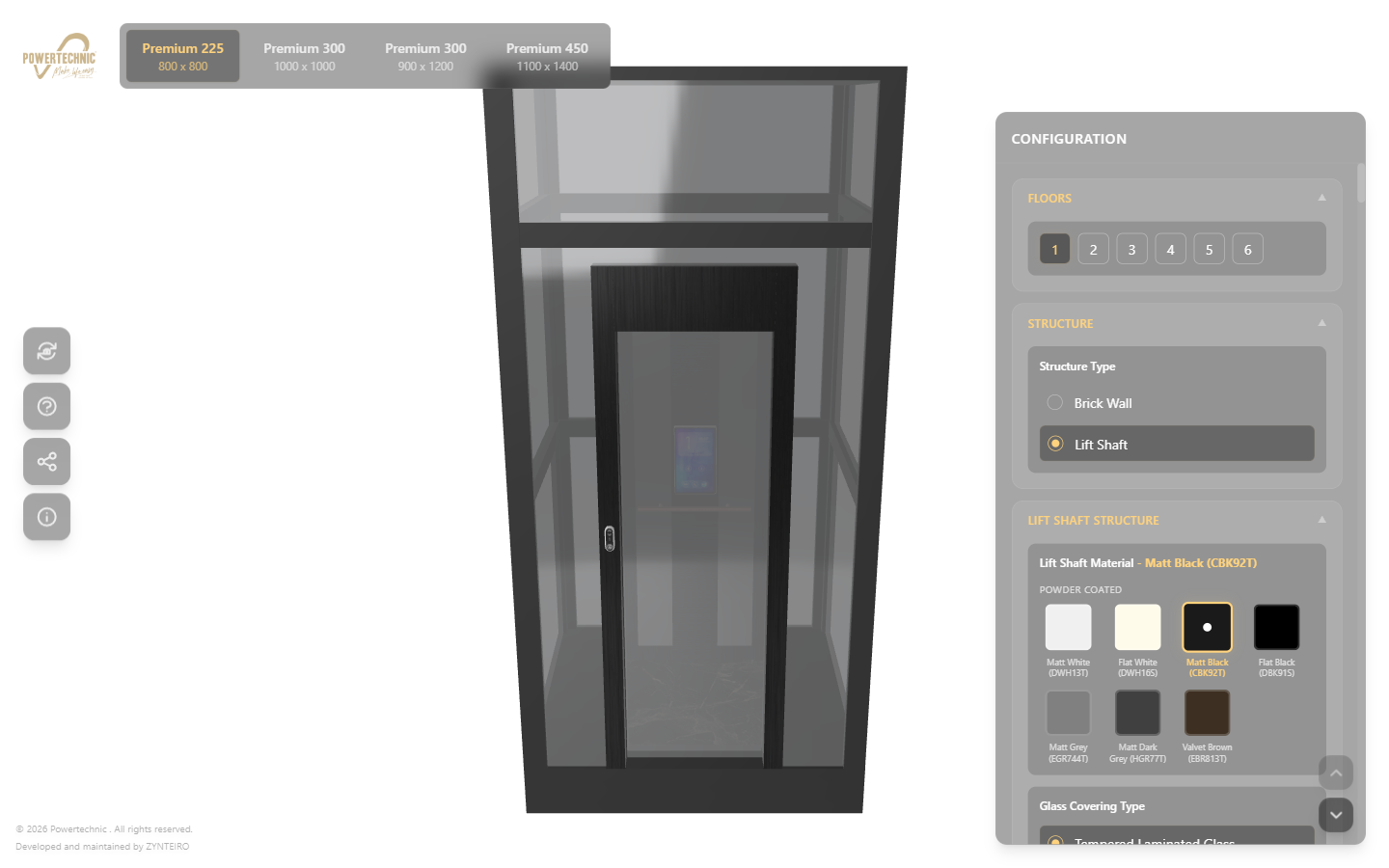
Multiplied out, the catalogue is somewhere past 1015 configurations. That number is only interesting because it settles the architecture question immediately: nothing here can be pre-rendered. There is no image library large enough. The lift has to be assembled on the customer's device, live.
Why Babylon.js
We build in whatever renders the product honestly, and for this one that was Babylon.js on WebGL 2.
The deciding factor was material fidelity under a fixed lighting rig. Most of them differ only in how they behave with light — hairline AISI 304 against black chrome, Matt Black (CBK92T) against Flat Black (DBK91S), clear mirror against Euro grey. A configurator that cannot render the difference between those two blacks is worse than a swatch card, because it is confidently wrong. Babylon's physically based materials, its image-based lighting pipeline and its native KTX2 support meant we could describe those finishes as measured values rather than as art direction.
The second factor was mundane and mattered more: Babylon ships a competent glTF loader, a scene inspector and a texture pipeline in one supported package. On a project where the asset pipeline is the risk, an engine with fewer moving parts wins.
The application around it is a plain Vite build. There is no server-side rendering, no framework routing and no CMS. The whole thing is a static bundle plus assets on a CDN, which is also why it starts fast.
The texture budget is the whole project
This is the part that decides whether a configurator ships or quietly dies in QA.
Sixty-six finishes means sixty-six albedo maps, plus normal and roughness maps for the families that need them. As ordinary PNGs at a usable resolution that is several hundred megabytes, which is not a website. As JPEGs it is smaller to download and exactly as large once decoded into GPU memory, because JPEG decompresses to raw pixels — the phone still has to hold every visible texture uncompressed.
Every texture in this project is KTX2 with Basis Universal supercompression. A KTX2 file transcodes on load into whichever GPU-compressed format the device actually supports — ASTC on most phones, BC7 on desktop — and it stays compressed in VRAM. A typical marble laminate lands at just over a megabyte on the wire and a fraction of that resident. That single format choice is the difference between a configurator that works on a three-year-old Android and one that reloads the tab.
The geometry is one glTF scene of 1.35 MB with an external binary buffer of 4.07 MB — 5.42 MB for the pair, measured from the live app on 13 August 2026. All four models share it: the differences between a Premium 250 and a Premium 450 are dimensional, so they are parameters on one parametric assembly rather than four separate meshes.
Finishes load on demand. Opening the configurator does not fetch every texture; it fetches the current configuration and then quietly warms whatever the customer is likely to touch next.
One model, many configurations
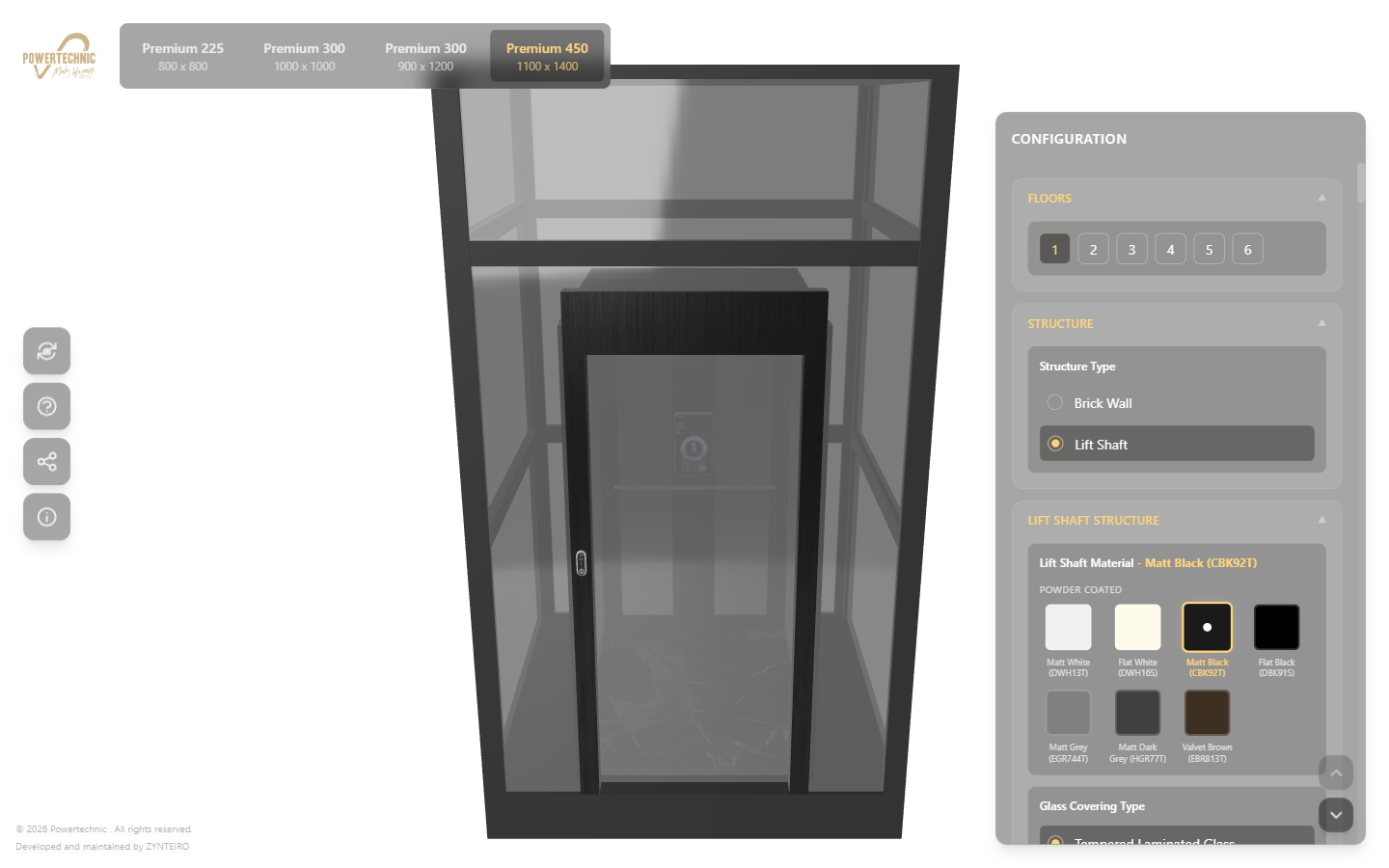
The scene graph is authored so that every configurable surface is a named material slot rather than a named mesh. Changing "left wall" to Coco Walnut is a material assignment, not a mesh swap, so it is instant and cannot desynchronise the model from the specification.
Two rules keep that honest:
- The configuration object is the only state. The 3D scene is a projection of it. Nothing is stored in the scene graph that is not derivable from the configuration, which is what makes a shareable link possible: the URL carries the configuration, the scene rebuilds itself.
- Invalid combinations are unrepresentable, not merely disabled. A cabin opening arrangement that a given model does not support never enters the option list. It is cheaper to constrain the data than to explain the constraint in a tooltip.
Making a 3D viewer usable by someone who has never used one
The hardest interface problem in a 3D configurator is not the 3D. It is that a meaningful share of buyers have never rotated a model in their life and will not experiment with an unlabelled canvas.
Three decisions did most of the work:
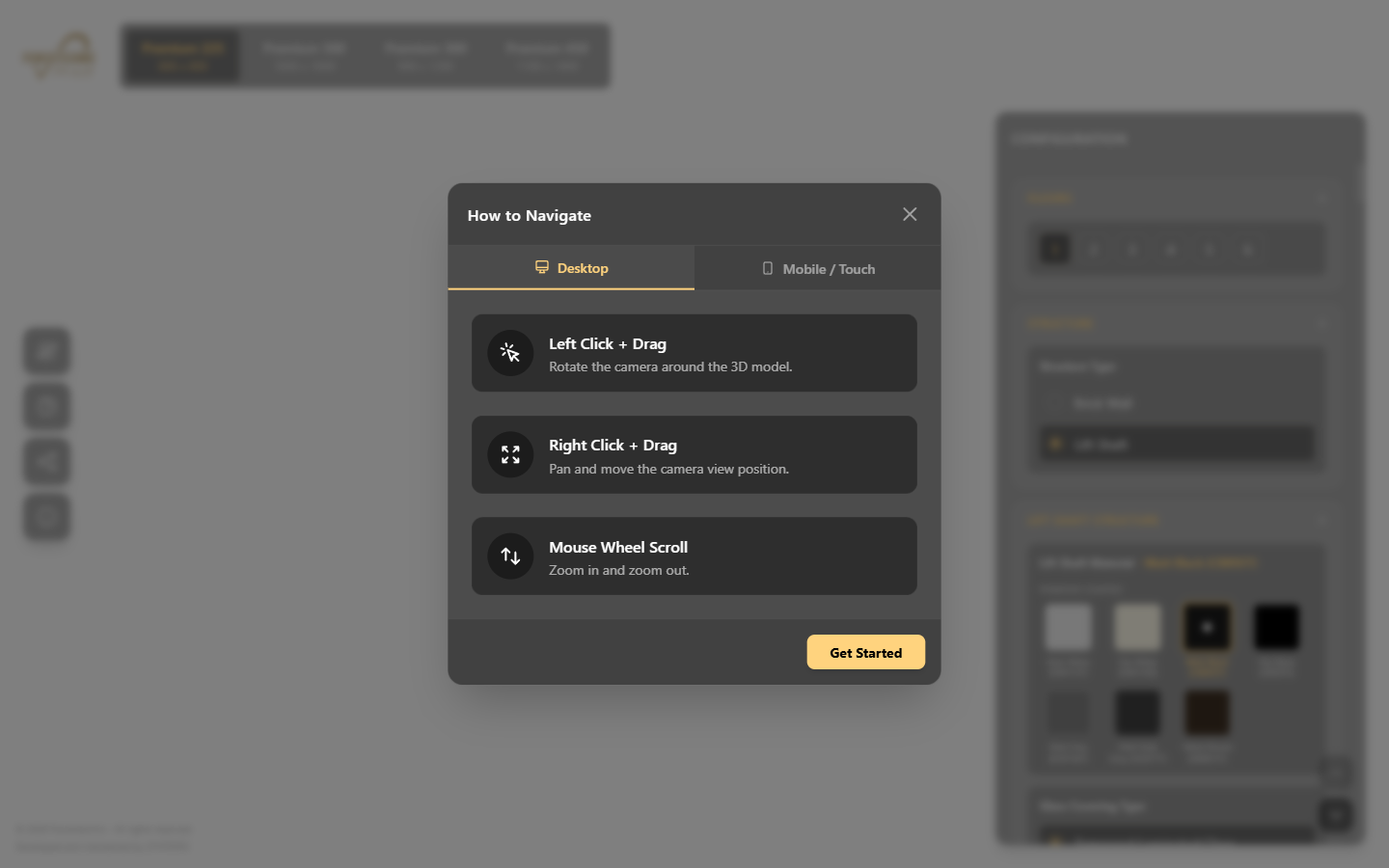
- An explicit navigation primer on first load, split into desktop and touch, dismissed with one button and never shown again. It costs one interaction and removes the entire class of "I couldn't move it".
- The configuration panel is a list, not a set of tabs. Twelve surfaces in sequence, each collapsible, each showing the current selection in its own header — so the panel doubles as the specification sheet. The customer can read down it and see exactly what they have chosen without opening anything.
- The camera is constrained. Orbit, pan and zoom are bounded so the lift cannot be lost off screen or viewed from inside a wall. A free camera feels generous to an engineer and abandoned to everyone else.
What it cost, and what we would change
Honestly: the modelling and material work was larger than the application work, and that is normal. If you are budgeting a configurator, budget the assets first and the code second.
Two things we would do differently, stated plainly because they are the useful part of a case study:
- Lock the finish naming with the factory before modelling. Powder coat codes (DWH13T, CBK92T) are unambiguous; the marketing names on top of them are not always the same across the price list, the sample book and the ERP. Reconciling those late is tedious and entirely avoidable.
- Emit the specification into the quotation flow on day one. The configurator produces a complete, unambiguous specification — the single most valuable artefact in the sales process — and any hour it spends only on screen is an hour of manual re-keying downstream. Wiring it into the ERP quotation is a small piece of work with a disproportionate return.
The configurator is live. Open it, choose Premium 450, put Coco Walnut on the rear wall, and watch what the black powder coat does to it.
Questions
Roughly half of it is asset preparation rather than code, and the variable is never the renderer. It is whether clean CAD exists, and whether someone on the client side can decide what "Matt Black" means when the factory has three of them. A bounded option tree — one family of models, a fixed set of surfaces and finishes — is a very different proposition from an open-ended catalogue, and that distinction matters far more than the choice of engine.
Yes, with a texture budget written down before anyone models anything. WebGL 2 is available on every current mobile browser; what is not available is desktop VRAM. Supercompressed textures (KTX2 / Basis Universal) transcode to whatever compressed format the device supports and stay compressed on the GPU, which is what makes a sixty-six-finish catalogue viable on a mid-range Android handset.
It should. A configurator that ends at a pretty picture wastes the most valuable thing it produces, which is a complete, unambiguous specification. The natural next step is to emit that specification as a structured payload into the quotation flow — in our case, into Odoo — so the salesperson quotes exactly what the customer configured. See zynAIR.