
Why a software company writes this list
We build custom software and operate ERP systems. Those are the interesting projects and they are the reason clients call.
They also sit on top of infrastructure. An ERP is not resilient if the server it runs beside has no backup. A configurator is not secure if the account that deploys it has a reused password. Rather than build carefully on top of something we are pretending not to see, we do the ordinary work as well — and when the client already has a competent IT provider, we say so and stay in our lane.
What follows is ranked by what actually causes damage in Malaysian SMEs, not by what is easiest to sell.
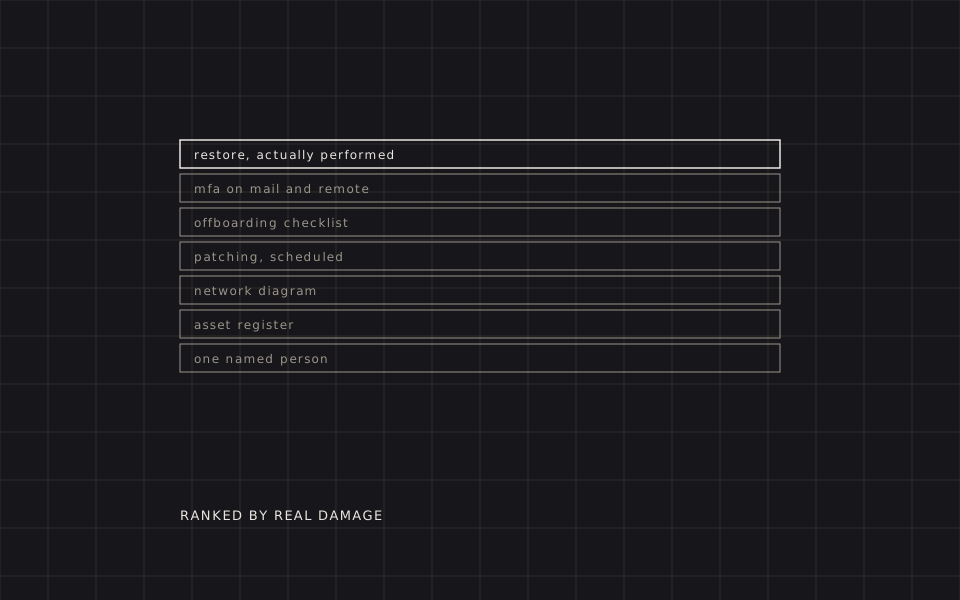
1 · A restore you have performed
Not a backup. A restore.
Almost every company has backups. A large share of them have backups that cannot be restored from, and they find out during the week that decides whether the business continues. The failure modes are consistent and dull: the job has been failing silently for months, the backup is on a drive attached to the machine that was encrypted, or nobody knows the credentials for the offsite copy because the person who set it up has left.
The rule is three copies, two media, one offsite — and the discipline that makes it real is a scheduled test restore with the elapsed time written down. A dashboard showing green tells you a job ran. It does not tell you the file opens, the database comes back consistent, or that anybody still in the building knows the sequence to follow.
Quarterly is enough, and the duration is the number worth keeping: it is the difference between “down until lunch” and “down until Thursday”, and nothing else in the recovery plan can be sized without it.
2 · MFA, on the two things that matter
Multi-factor authentication on email and on remote access stops most of what actually happens to companies this size.
The Malaysian SME pattern is specific and worth naming: business email compromise. Someone reads a director's mailbox for weeks, learns who pays whom, and then sends a supplier a polite note about changed bank details. No malware, no encryption, no drama — just a payment to the wrong account, discovered a month later.
MFA on the mailbox stops that. If you do one thing on this list, do this one, and do it on the directors' accounts first because they are the ones being impersonated.
3 · The offboarding checklist
Ask any SME which systems a departing employee still has access to and the honest answer is usually “we would have to check”. That is a live PDPA exposure and a live commercial one, and it is fixed with a piece of paper.
One checklist, kept current, listing every system a person can have access to — email, ERP, file storage, the shared WhatsApp groups, the WiFi password everyone knows, the building access card, the domain registrar, the social accounts, the accounting software. Every departure walks the list, and the completed list is filed.
Building it takes an afternoon. Doing it for the first time reliably discovers two accounts belonging to people who left years ago.
4 · Patching without heroics
Patching fails in SMEs not because nobody knows it matters but because it is nobody's job at a defined time. It happens when someone is worried, which is never on a Tuesday.
What works: automatic updates on workstations, a monthly window for servers, and a written note of anything deliberately left behind — the machine on the shop floor running vendor software that will not survive an update. That exception is fine, as long as it is a decision that someone made and wrote down rather than a thing that quietly happened. An undocumented exception is just an unpatched machine.
5 · A diagram, a register, a person
Three artefacts that cost a day each and change every incident afterwards.
- A network diagram. One page. What is connected to what, which router, which switch, where the internet enters the building, what is exposed to it. Half of every emergency is spent rediscovering this by torchlight.
- An asset register. What you own, its age, its warranty, what runs on it. Without one, hardware replacement is always an emergency purchase at retail price.
- A named accountable person. Internal or contracted, but named. “IT” as a collective noun is how a failing backup job goes unnoticed for six months.
The projects everyone asks about
These are the ones that arrive as requests. They are further down the list because they matter less than the seven items above, not because they do not matter.
- AI on hardware you own. The request that has replaced “should we move our email” as the thing everyone asks about. It is a real deployment with a real bill of materials, not a subscription — what the hardware costs, and where it is oversold.
- VoIP, CCTV, access control and structured cabling. Ordinary and worth doing once, correctly, by someone who will label the cabinet.
The rest is ordinary operations work: network and WiFi, servers and virtualisation, firewall and remote access, and website hosting. Two things in that list are worth naming here because they are the ones we keep finding — the exposed remote desktop port that a surprising number of Malaysian SMEs are still running, and the WordPress or other content management system nobody has updated since 2021. What each of the rest covers is set out on the consulting page.
How to test whoever you hire
Four questions. The answers tell you more than any proposal.
- “When did you last perform a test restore for us, and how long did it take?” A date and a duration, or the contract is decorative.
- “Show me our network diagram and asset register.” If they have to build them, they are being built now, which is a good outcome from one question.
- “Which of our accounts do not have MFA?” A provider who cannot answer this is not watching the thing most likely to cost you money.
- “What did you deliberately not patch, and why?” The right answer is a short list with reasons. “Everything is up to date” is either untrue or means nothing is being checked.
We are happy to be asked these. If your current provider answers them well, keep them — and call us about the software instead.
Questions
Ask instead what it costs you to be down for a day, and what it would cost to lose the last month of data. For most SMEs those two numbers dwarf any plausible support fee, which is why the useful question is not price but scope: what specifically is included, who is accountable, and how fast is the response when the thing that is down is the thing that takes orders. A cheap contract that excludes the systems you actually depend on is not cheap.
Nobody is targeted; almost everybody is scanned. Ransomware and credential stuffing are automated and indiscriminate — they find an exposed remote desktop port or a reused password and do not check your revenue first. The three controls that stop the overwhelming majority of it are MFA, offline backups and current patches, and none of them requires a security product.
No. Hosted email is a commodity and it is not work we take on, so if you are looking for someone to run or migrate a mail tenant we are not the right shop and will say so at the first call rather than the third. What we do care about is the part that touches everything else: that accounts are removed when people leave, that multi-factor authentication is on, and that mail is not the single place a critical document exists.